
Automatic home charging capture
Set up in 20 minutes. Plug it in once. Every charging session is captured automatically — kWh, cost, start and end time. No subscription, no manual entry.
Automatic capture currently supports Level 1 (120V) home charging.
That's the standard 3-prong wall outlet your car's included charge cable plugs into. If you have a dedicated wall charger or a 240V outlet installed by an electrician, that's Level 2 — automatic tracking for Level 2 hardware is in development. For now you can still use GarageWatts with manual or SOC-based session entry on Level 2.
Plugs into any standard 120V outlet. Captures every home charging session automatically — kWh delivered, start time, end time, and cost. No electrician. No subscription. One-time purchase.
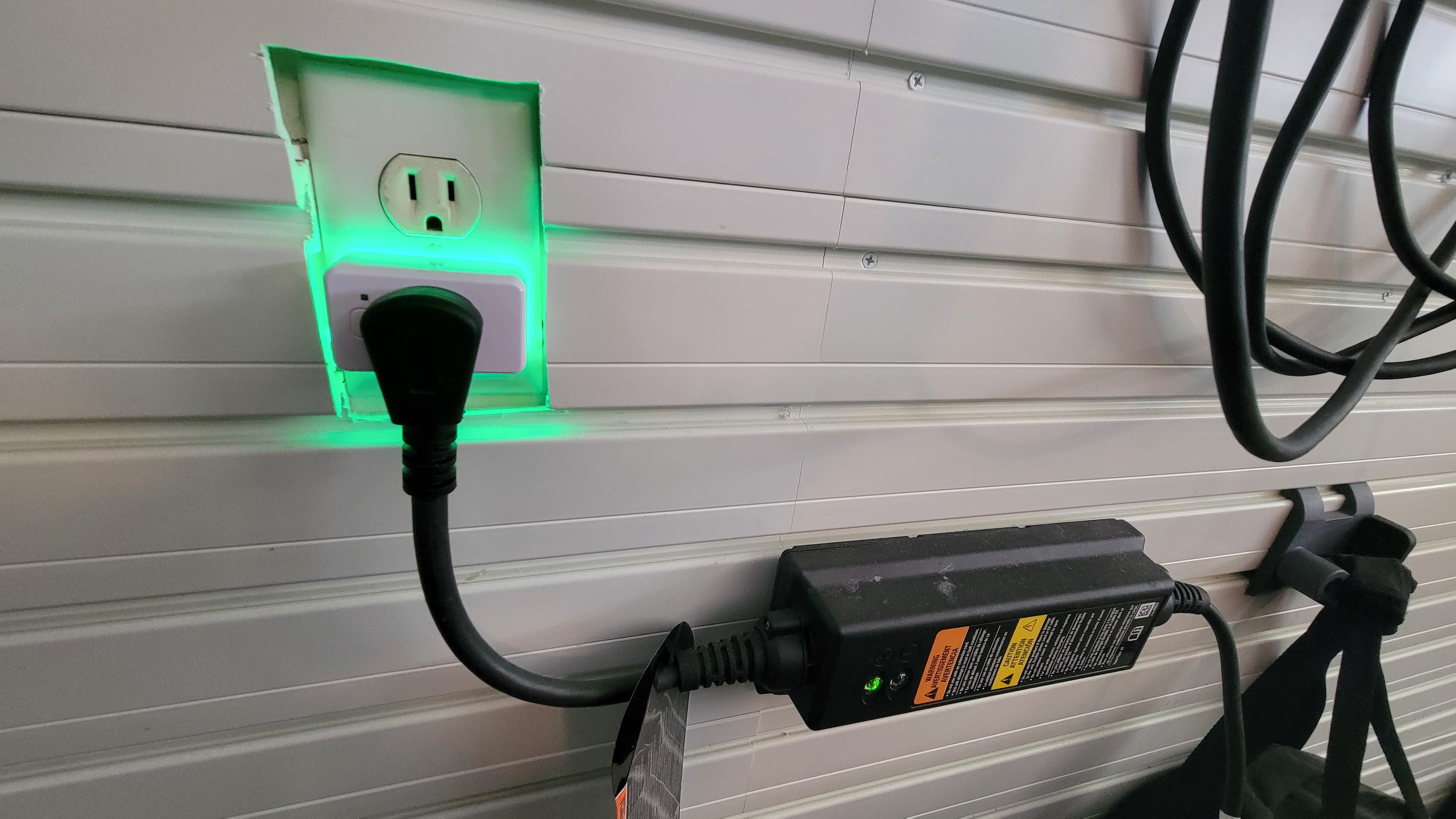
How it works
- 1
Buy the Shelly Plug
One-time purchase from Amazon — about $25.
- 2
Pair to WiFi via the Shelly app
iOS or Android — standard 30-second setup.
- 3
Plug it in
Wall outlet → Shelly → your EV charge cable. Done.
- 4
Connect to GarageWatts
Paste your device ID in Settings → Integrations. We give you a webhook URL to add in the Shelly app.
- 5
Charge normally
Every session captures automatically. kWh, cost, timestamps.
Start free — hardware is optional
You can use GarageWatts with manual session entry forever — no payment, no expiry. Add the Shelly when you're ready to automate it.
Get started freeDisclosures
GarageWatts participates in the Amazon Associates Program and may earn a commission on qualifying purchases at no additional cost to you. We only recommend hardware we use ourselves.
GarageWatts is an independent product. We are not affiliated with, endorsed by, or sponsored by Allterco Robotics, Shelly Group SE, Shelly USA, or any other hardware manufacturer mentioned on this site. All product names, logos, and brands are property of their respective owners and are used here for identification purposes only. Hardware is sold and supported by the manufacturer — for warranty or device issues, please contact the manufacturer directly.